
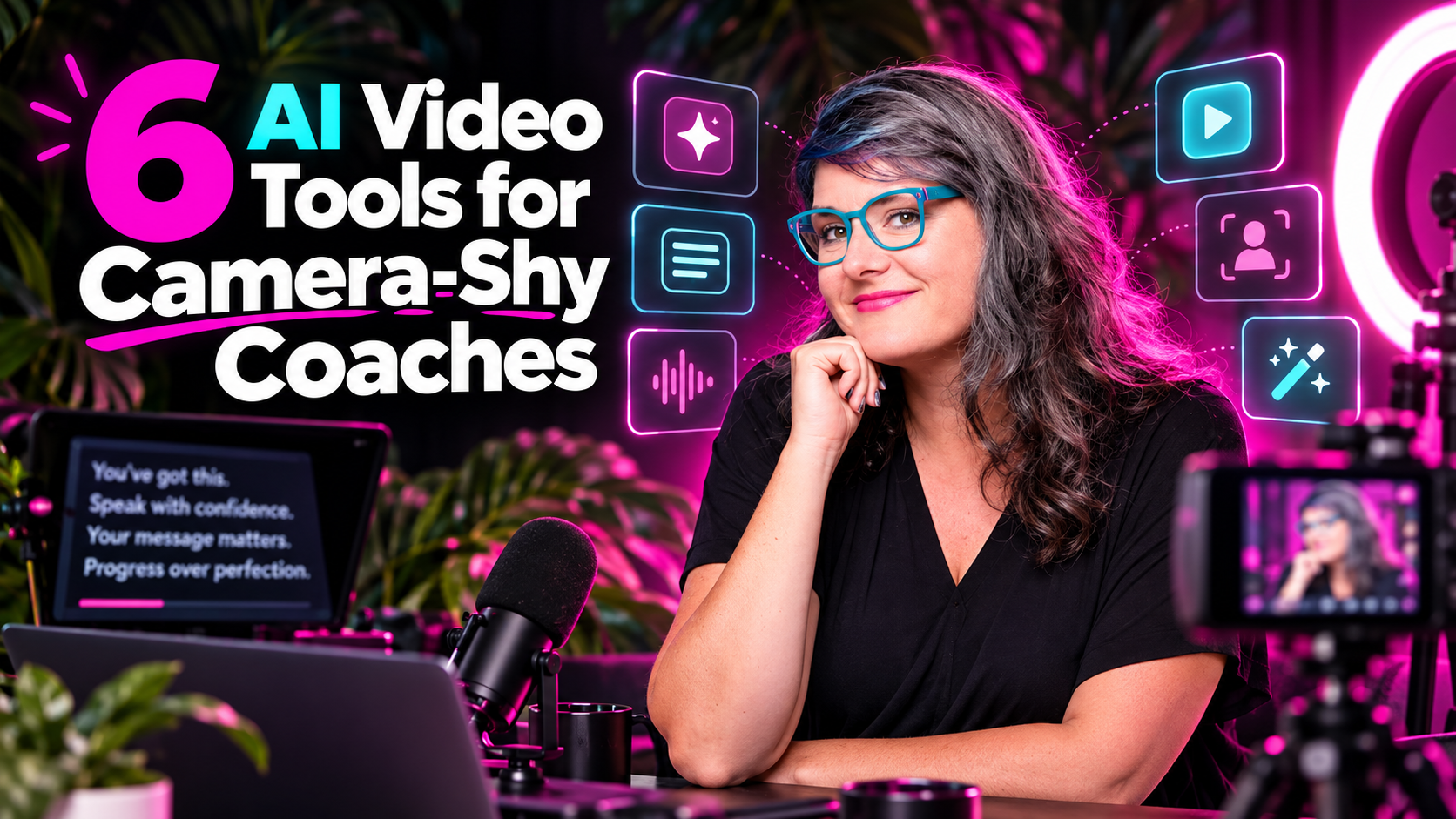

Can I Grow Without Living on Camera?
Yes. You absolutely can.
AI video tools help you create video content without filming yourself every single day. Some build a digital avatar that looks and sounds like you. Some turn a script or blog post into a full video with visuals and a voiceover. Others fix your eye contact, cut out the “ums,” and make one quick recording look like you spent hours in post-production.
AI video tools include categories like text-to-video generation and AI-assisted editing, and they keep getting better. Script-based video generation now allows creators to produce content from text prompts alone. AI tools automate tasks that used to require serious human effort, from writing and coding to video editing and beyond. Many of the best AI platforms combine multiple AI capabilities into one product, so you don’t need a film degree to make content that converts.
Here’s the pattern I see with every coach I work with: they’re stuck between two extremes. “Film every day” or “never show up.” AI gives you a middle path.
Most of these AI apps have generous free plans or free trials, so you can test before you invest. But fair warning: usage limits and watermarks are common on free tiers. I’ll break all of that down below.
I’m writing this from my own experience building AI content systems for coaches inside The Prepared Performer, not from a generic tech reviewer’s desk. Let’s get into it.
Who These AI Video Tools Are For
Quick self-check. This article is for you if:
- The red “record” light makes your stomach flip
- You’ve filmed the same intro 14 times and still hated every take
- You’re a coach, consultant, or course creator who wants to show up more without living on camera
- You want to post consistent video without spending every weekend filming
- You’ve told yourself “I’ll start video next month” for the last 18 months
- You’re already at or near $5k/month and ready to scale without losing your authentic voice
These are the exact people I work with inside AI Content Club and AI Stars. They’re not non-technical users afraid of technology forever. They just need the right AI productivity tools matched to their actual comfort level.
Table of Contents
Why AI Became Part of My Video
I spent years on Broadway. The spotlight is literally my happy place.
But most of the coaches I work with? They’d rather get a root canal than hit record.
And I get it. Filming takes time. It takes energy. It feels vulnerable. So they don’t post video at all, and their business pays for it.
I watched brilliant coaches with transformative programs stay invisible online because content creation felt like too much. Their reach shrank. Their revenue flatlined.
That’s when I started layering AI-driven video creation tools into my own workflow and my clients’ workflows. AI tools speed up editing and production processes significantly, and they allow rapid storytelling experimentation without the emotional cost of constant filming. AI video tools automate tedious tasks and accelerate workflows that used to eat entire weekends.
The goal isn’t replacing your humanity with robots. It’s removing bottlenecks so you can show up more often as the real you.
6 AI Video Tools Coaches Should Know
Think of this as your cheat sheet. Skim it, pick one tool to test, and keep reading for the details.
- HeyGen – Best for: digital twin avatar. You on camera? Once, to train it. Free plan available (limited).
- Synthesia – Best for: course and training videos. You on camera? Optional. Free tier with limited minutes.
- Descript – Best for: easy editing, filler removal, eye contact fixes. You on camera? Yes, but with way less pressure. Free plan available.
- Canva – Best for: branded faceless videos. You on camera? No. Robust free tools tier, some ai features locked to Pro.
- InVideo AI – Best for: turning a prompt or blog into a video. You on camera? No. Free plan with watermarks.
- Opus Clip – Best for: clips from long videos. You on camera? Once a week. Free tier with reduced exports.
Behind the scenes, tools like Canva and InVideo rely on AI image generators, audio tools, and video generation engines. Synthesia and HeyGen lean on AI voice synthesis and advanced models for lip-syncing. Most AI tools in this list offer free plans or trials, but commercial use, export quality, and usage limits vary by plan.
These are the latest AI tools I recommend to coaches right now. Let’s break each one down.
1. HeyGen
HeyGen is my top pick when a coach wants a digital twin that looks and sounds like them.
Here’s how it works: you record a short training clip once. HeyGen trains an AI avatar from that footage. After that, you type a script, and your avatar delivers it on screen. No lighting setup. No hair and makeup. No 14 takes.
AI video tools can generate voiceovers in multiple languages, and HeyGen leans into this hard. It supports 175+ languages and dialects on paid plans, which means AI enhances video accessibility with multi-language translations and captions for coaches with international audiences.
Best for: Recurring tutorials, FAQs, onboarding sequences, and evergreen nurture content where your presence matters but you don’t want to refilm.
Free plan: HeyGen allows up to 3 videos per month on its free plan, each capped at about one minute. You get access to 500+ stock avatars and one custom video avatar. Watermarks stay until you upgrade.
Paid plans: Creator starts at $29/month with 30-minute exports, 1080p, voice cloning, and watermark removal. Pro at $49/month adds 4K and more AI credits.
My tip: Write scripts the way you actually talk. Keep them conversational. Use your avatar for teaching content, not deeply personal stories. That’s where real-you videos shine.
Watch out for: Avatars can feel stiff if the copy reads like a legal disclaimer. Also think about where your likeness is hosted. Read the privacy terms. Be thoughtful about consent.
2. Synthesia
Synthesia is the polished, professional option for coaches building signature programs, memberships, and evergreen courses.
You can use stock avatars or create a custom avatar from a photo (they require a live consent video for verification). Templates keep everything branded. You can import slides, add screen text, and choose from consistent ai voice options across your entire curriculum.
Best for: Onboarding flows, internal tools for team SOPs, and structured course modules where you’d otherwise need to batch-record for days.
Credit system: Synthesia runs on AI credits. Every second of video costs 2 credits. Synthesia provides 10 minutes of video per month on its free plan, which works out to roughly 1,200 credits. The Starter plan at $29/month and Creator at $89/month scale up credits and unlock personal avatars, downloadable exports, and advanced features. Enterprise tiers offer custom pricing.
My workflow tip: Write your full curriculum in Google Docs or Notion first. Pipeline the scripts into Synthesia for video creation. Then pair avatar lessons with occasional live Q&As so students still get the real you.
Keeping it human: Add stories, real client examples, and your brand humor directly into the script. Without that, Synthesia content can drift toward “corporate cold.” Your personality lives in the words, not just the visuals. Some coaches with api access even automate parts of this pipeline for faster production.
3. Descript
This one is for the in-between coach. You’re okay pressing record. You’re completely over traditional editing timelines.
Descript allows editing videos by modifying the transcript. It transcribes your footage, and then you edit by deleting words, not scrubbing a timeline. AI speech-to-text engines can transcribe footage instantly, turning your raw recording into editable text in seconds. It functions as both a speech-to-text tool and a full editing suite.
The magic features for coaches:
- Filler word removal: One click strips out every “um,” “uh,” and “like.” Automated rough cuts and smart trimming shorten editing timelines dramatically.
- Eye Contact correction: Makes it look like you’re staring at the camera even when you’re reading notes. Hello, confidence.
- Overdub voice cloning: Fix small mistakes without re-recording a whole video. It works as one of the best AI audio tools for quick corrections.
- Audio cleanup: Neural networks can isolate dialogue from ambient sound, so your home-office recording sounds studio-quality. It handles audio files from almost any source.
- Meeting notes: Descript can also transcribe meeting notes from coaching calls if you want to repurpose those later.
Machine learning models analyze footage to auto-balance exposures, and Descript keeps version control on your edits so you can always roll back.
Free plan: Limited exports and watermarking. Overdub vocabulary is restricted on free tiers. Paid Creator and Business plans unlock longer videos, higher resolution, and full access to all editing tools.
My workflow: I outline with bullet points next to my camera, record once, let Descript auto-transcribe, cut tangents, remove filler, and export clips for Reels and YouTube Shorts.
Real talk: There’s a small learning curve. Give yourself grace. Or hand the editing to a VA who can own the cleanup while you just record.
4. Canva
You probably already use Canva for graphics. Now treat it as a lightweight AI video and content hub.
Canva’s AI video features have leveled up. The “Create a Video Clip” feature, powered by Google’s video models including Veo 3.1 and Omni Flash, lets you generate images, animations, and even cinematic clips from a text prompt. Generative tools can create missing transitional shots or visual elements, and AI can automate video editing tasks like scene transitions. AI can also remove unwanted elements from scenes automatically during editing.
Best for: Instagram Reels with text on screen, Pinterest Idea Pins, YouTube intro reels, and sales page background videos. No face required.
Canva leans on AI image generators, image generation engines, and stock libraries behind the scenes, making it a great entry point into AI video generation for coaches who find other AI software intimidating. You can generate images directly inside Canva using advanced AI image models.
Pricing: The free tools tier includes templates, basic exports, and many editing features. Canva Pro adds brand kits, magic resize, content scheduler, and access to premium assets. Some AI video generation features are limited to around 5 generations per month even on paid plans.
Do this today: Pick your best-performing carousel or email. Drop the text into a Canva video template. Add music. Publish one faceless video this week. It works as one of the best free AI tools for getting started fast, and it runs right in your browser as a web app.
5. InVideo AI
InVideo AI is the content repurposing powerhouse for coaches sitting on blogs, newsletters, or long-form scripts they’ve never turned into video.
Here’s the workflow: paste a URL, upload text, or type AI prompts describing what you want. InVideo’s AI models choose visuals, generate AI voice narration using natural language processing, add captions, and assemble a full video. AI tools can assist in writing, coding, and video editing, and InVideo handles the video side of that equation with AI assistance built into every step.
This is faceless by default, making it ideal for camera-shy coaches who still want motion content on every platform. AI generates captions and subtitles, increasing content accessibility across the board.
Free plan: InVideo AI allows 10 minutes of video generation weekly for free. You get limited exports with watermarks. Free credits reset weekly but don’t roll over.
Paid plans: Starter, Plus, and Max tiers unlock HD exports, longer videos, and clearer commercial rights. These plans give full access to premium stock and advanced AI models.
Step-by-step idea: Grab a 1,000-word blog post. Turn it into a 60-second explainer for Instagram and a slightly longer version for YouTube. Embed both into your funnels. One piece of content, two formats, zero filming.
Watch out for: Stock footage can feel generic. Swap in your own branded B-roll, client photos (with permission), or logo stings to make these videos feel custom. That small effort makes a huge difference in how your everyday tasks of content creation land with your audience.
6. Opus Clip
Opus Clip is the bridge between “I’ll go live once a week” and “I want daily short videos without editing them myself.”
Here’s how it works: upload a long video (podcast episode, live stream, workshop recording), and Opus Clip scans for the most engaging segments. AI tools can detect shots and faces in videos, then automatically reframe, add captions, and format everything vertically. AI can dynamically reframe videos for different platforms like TikTok, Instagram Reels, and YouTube Shorts. AI tools can help generate engaging thumbnails and social media clips from that same source footage.
Best for: Coaches who already host group calls, masterminds, or webinars and want to turn those moments into discoverable content without manual editing.
Free tier: Reduced clip numbers, lower resolution, and watermarks. Paid plans unlock more exports, team collaboration, and branding options.
My simple system: Record one 30-60 minute call weekly. Drop it into Opus Clip. Approve the best 10-15 clips. Schedule them across Instagram, TikTok, YouTube Shorts, and LinkedIn. One brave hour becomes weeks of content.
Always curate: I skim every clip before posting. The AI doesn’t always pick the best moments. Review for context, values alignment, and factual accuracy. Think of Opus Clip as an automation tools that draft your content, not publishes it.
How to Choose the Right AI Video Stack for Your Coaching Business
Here’s my simple decision framework based on where you are right now:
Terrified of the camera? → Start with Canva or InVideo AI. Both let you create faceless content. You can do a web search for templates, drop in your script, and publish without showing your face once.
Okay recording once, not daily? → Try HeyGen for an avatar or Opus Clip to squeeze a month of clips from one recording session.
Willing to record, but hate editing? → Descript is your new best friend. Record once. Edit by reading. The speech-to-text engine handles the rest.
Building a full course or membership? → Synthesia is worth exploring. The credit system and structured templates are built for curriculum-scale content.
These video tools pair well with other AI apps in your stack. An AI assistant can help plan content topics. Some coaches use an AI agent builder to create custom agents that draft scripts before they ever open a video tool. Others connect automation tools and connected tools to streamline distribution. You might even use an AI search engine or knowledge management system to organize your content library as it grows.
Pick one primary tool to master first. Run a 90-day experiment. Track leads, bookings, and conversion rates from AI-assisted video versus your old methods. Then analyze data and adjust.
Don’t install every new AI tool you hear about. Master one. Then layer.
Bringing the Real You Back In: Mixing AI Video with Authentic Presence
AI video tools exist to reduce pressure, not erase personality.
Faceless and avatar content builds awareness. But human moments build deep trust. Here’s how I mix them:
- AI handles the bulk: tutorials, FAQs, repurposed blog content, course modules
- I save my on-camera energy for: launches, live streams, connection moments, stories
Sprinkle in humanity every week. A 30-second selfie update. A messy behind-the-scenes clip. A quick screen share with your voice over it. That’s enough.
Your weird is your superpower, and your audience wants to see it. AI should amplify your voice, not flatten it. After doing deep research into what actually converts for coaches, I can tell you: the blend of AI efficiency and human warmth wins every time.
Frequently Asked Questions
Can I grow my coaching business without showing my face?
Yes. Faceless videos and avatar content can absolutely build awareness and bring in leads. But mixing in some real-you content builds trust faster. I recommend aiming for 70% AI-assisted and 30% human presence as a starting point.
Do AI avatar videos feel fake?
They can, if the script sounds robotic. Write the way you talk. Use your avatar for teaching content, not personal stories. Be transparent with your audience about using AI. That honesty actually builds more trust than pretending.
Which AI video tool is best for beginners?
Canva is the easiest place to start because most coaches already know it. It’s among the best AI apps for non-technical users. HeyGen or InVideo AI make great next steps when you’re ready to level up.
Are these AI video tools completely free?
Most offer a free plan or free trial, but none are completely free without trade-offs. Expect watermarks, minute caps, and export restrictions. Paid plans unlock better resolution, more minutes, and commercial rights. Some adjacent tools like Google Flow allow 50 video credits daily for free, and Google’s video models include Veo 3.1 and Omni Flash for free users, so there are options for experimentation. Even tools in adjacent categories like code editor platforms and vibe coding environments are adopting similar freemium structures.
Is it okay to use an AI avatar of myself?
Yes, as long as you’re open about it with your audience. Be upfront. Transparency builds trust. Also check that the platform’s terms cover commercial use and that you’re comfortable with where your likeness data is stored. Full-stack web apps and AI software platforms all handle data differently, so always read the fine print.
How do I get more comfortable on camera while still using AI?
Start with short, low-pressure recordings and use Descript to clean them up. Confidence comes from reps, not perfection. Let AI handle the best AI editing and polishing while you focus on just hitting record. Over time, you’ll surprise yourself.
Recommendation:
Don’t try all six at once. Pick one based on where you are right now:
- Terrified of the camera? Start with Canva or InVideo AI.
- Okay recording once, not daily? Try HeyGen or Opus Clip.
- Willing to record but hate editing? Descript is your new best friend.
- Building a course? Go with Synthesia.
Then set up a repeatable workflow: idea → script → AI video creation → distribution. Not random one-off experiments.
Add a little bit of the real you each month. A selfie video. A quick story. A behind-the-scenes moment. That’s where the magic happens.
AI is here to support your voice and values, not replace them.
Ready to Build Your AI Video?
Inside AI Stars and AI Content Club, I walk coaches through building their own AI-powered video systems step by step. Strategy, scripts, tools, repurposing- all while keeping your voice and values intact.
We cover not just video generation, but AI content creation across platforms, social selling, and authentic personal branding. If you’re ready to stop overthinking and start showing up, come join us.
The more fun we have, the more money we make.



Leave a Reply