
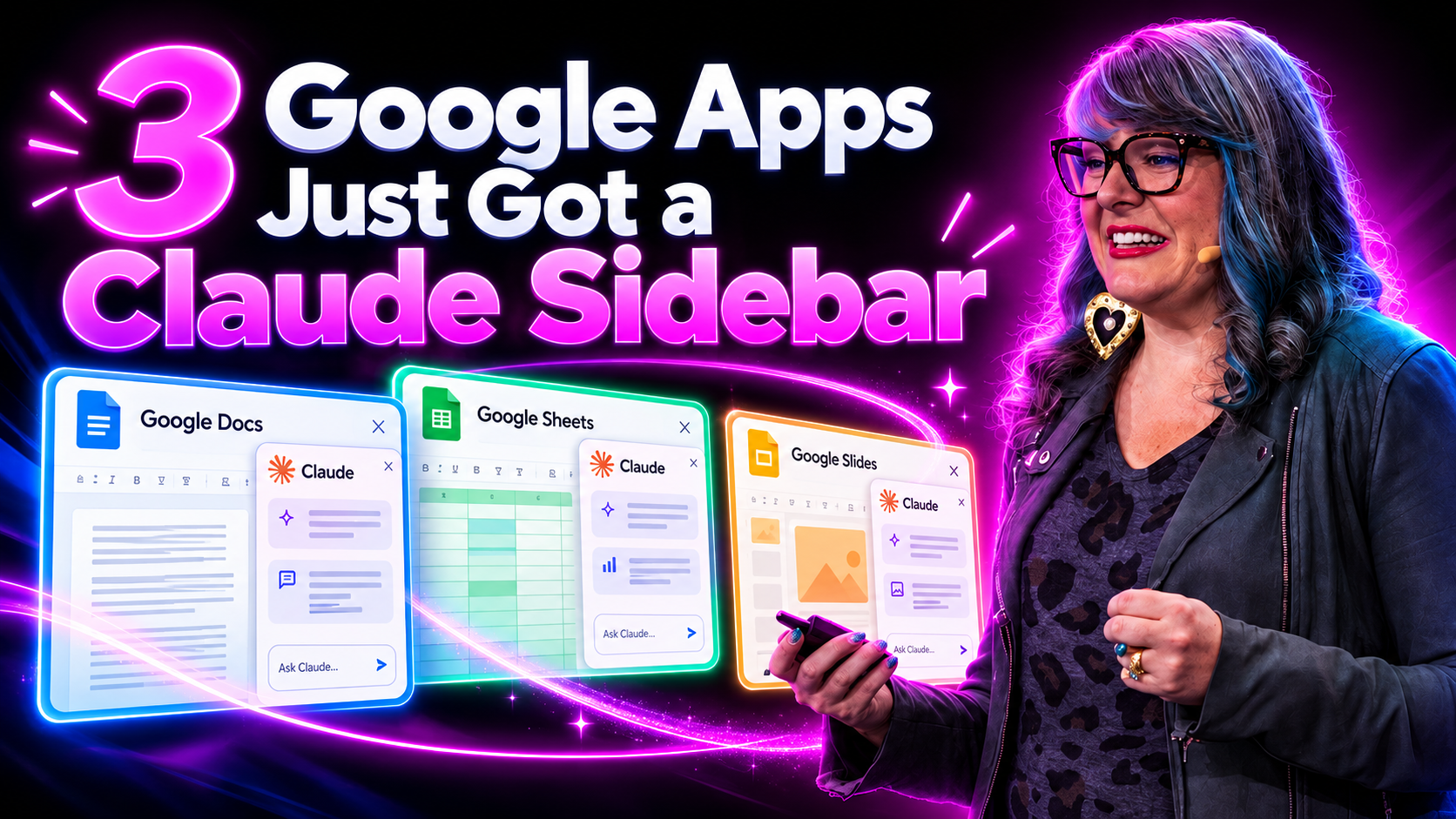

Claude is the AI assistant made by Anthropic. It started in 2023 as a chatbot. In 2026, it’s a full set of models and tools that help you write, research, code, and get real work done.
The biggest news? Claude now works right inside Google Docs, Sheets, and Slides.
Here’s what changed, which Claude model fits which job, and how to start using it today.
If you’re an entrepreneur, creator, or team lead using AI for content and workflow, here’s everything you need to know. For deeper technical detail, see Anthropic’s Claude product page and the Claude help center.
Key Takeaways
- Claude now integrates directly with Google Docs, Sheets, and Slides via a beta Workspace add-on (announced October 6, 2026), available on all paid plans, eliminating the need to constantly copy and paste.
- Opus 5.5 and Sonnet 5.5 handle complex problems, coding, and long-form content, while Haiku 5.5 is optimized for speed and high-volume tasks.
- Code and Cowork are specialized tools built on top of the base models, designed for developers and non-technical professionals, respectively.
- Context windows support up to 200,000 tokens, with advanced tiers offering up to 1 million tokens for working with large amounts of information in a single conversation.
- Anthropic’s Constitutional AI approach prioritizes safety in high-risk areas while supporting powerful productivity tools.
- Access Claude through the web app at claude.ai, the API, the Chrome extension, or Google Workspace integrations, with pricing from free to enterprise plans. Verify current pricing at Anthropic’s pricing page.
Table of Contents
Claude for Google Workspace
Claude for Google Workspace is a beta add-on that places Claude in a side panel beside any open Google file. According to Anthropic’s October 6, 2026 announcement, it’s available on every paid plan and respects your existing Google sharing permissions.
In Docs: Highlight text and ask Claude to rewrite, simplify, or restructure. It edits in place while preserving fonts, headings, and spacing. It excels at nuanced content creation and editorial work, making it ideal for polishing sales pages, simplifying dense copy, or turning brainstorm dumps into clean outlines. It helps users craft content that aligns closely with their voice and values. It can also draft, edit, and summarize documents at scale.
In Sheets: Claude can write formulas, build summary tables, create native charts, and add fresh tabs. It can execute code behind the scenes to clean messy exports and drop tidy data back into your sheet. This is particularly useful when you need to analyze large volumes of data from launch metrics or lead exports.
In Slides: Claude generates new slides using your deck’s existing layouts and theme, then flags issues like overflowing text or low-contrast colors. It can transform outlines into full presentations for webinars, workshops, or investor updates.
Control levels: By default, Claude asks for approval before each edit. You can switch to a hands-off mode for a faster workflow. On team and enterprise plans, an owner must enable the Google file integrations first.
Setup: Install from the Google Workspace Marketplace, launch via Extensions → Claude in your file, and check the Claude for Google Workspace setup guide if you get stuck. Claude can connect with tools like Google Drive and Gmail, and it features a split-screen workspace called Artifacts for collaborative content generation. If you’re building a repeatable AI content workflow, this integration fits naturally.
Claude Models and Tiers: Haiku, Sonnet, Opus, and Mythos
Claude AI is a family of newer models with different capabilities and pricing, all trained as large language models with constitutional AI and RLHF for safer model behavior.
- Haiku 5.5 – the fastest, lowest-cost tier for high-volume tasks like chat support, short summaries, and simple content transformations. Organizations use Claude Haiku for customer support workflows where speed matters.
- Sonnet 5.5 (released September 28, 2026) – the mid-tier workhorse for reasoning, content creation, and everyday coding. Sonnet 5.5 scores 70.6% on Terminal-Bench 4.0, up from Sonnet 5’s 10.3%. Claude is recognized for its natural conversational style and high accuracy at this tier.
- Opus 5.5 – the top public generalist AI model for complex analysis, multi-step planning, and heavy coding. It supports large context windows for maintaining long-running projects. Claude is particularly suitable for long-form document analysis and synthesis.
- Mythos 5.1 – a specialized model restricted to cybersecurity tasks for select partners under Project Glasswing. Fable 5.1 is the same base model with stricter guardrails for broader access. Anthropic blocked AI models from malicious uses like cyberattacks through these controls.
Claude supports multimodal processing of documents, images, and text, with advanced capabilities in logic, multi-step reasoning, and complex workflows. It can assist with coding, software development, professional writing, pattern recognition, and analyzing large datasets.
Tools and Workflows
Claude is more than an AI chatbot at claude.ai. It’s a platform with agents and tools for coding, Claude design, research, and integrated workflows through the API and Model Context Protocol (MCP).
Claude Code automates coding tasks using natural language prompts and enables developers to navigate large codebases efficiently. Claude can assist in navigating large, unfamiliar codebases and can review code faster, completing reviews 3x quicker. Claude Code Security identifies vulnerabilities in codebases. If you’re building an AI team, Claude Code is a strong tool for your developers to download and integrate.
Claude Cowork is a GUI environment for non-technical professionals who want multi-step tasks within a single conversation. It supports file editing, task decomposition, and connecting to enterprise systems through MCP apps. Use it for campaign builds, client reports, research dossiers, and content calendar automation.
Claude Design generates UI mocks, marketing assets, and visual layouts from natural language prompts. It can collaborate with Claude Code by turning prototypes into starter front-end code, and newer 2026 updates allow multi-format outputs in one conversation.
MCP and computer use: MCP allows Claude to connect safely to external tools and data sources for enterprise-grade automations. The Chrome extension (general release August 2026) enables built-in web browsing capabilities. Computer use lets Claude simulate keyboard and mouse input in controlled sandboxes for UI testing and desktop automations. These features give developers and teams the ability to search, edit, and analyze across systems without constant tab-switching.
Frequently Asked Questions
Is Claude for Google Workspace free? It’s included on paid Claude plans and is in public beta as of October 2026. The free tier does not include it.
Will Claude change my files without asking? Not by default. Claude shows a summary and waits for approval. You can enable a hands-off mode when you’re ready.
Can Claude access all of my Google Drive? No. Access mirrors your existing Google sharing permissions. MCP tools are permissioned individually.
How accurate is Claude AI? Claude is strong at summarization and reasoning but can still hallucinate. Cross-check high-stakes decisions. Compare outputs against source material for important ideas.
Recommendations
- Start with one specific workflow, like editing launch docs or running a code review with Claude Code, rather than trying everything at once. Here’s a good starting point for authentic AI marketing.
- Use check-first mode for file editing to build trust, then gradually enable more autonomous behaviors and saved skills.
- Choose models strategically: Haiku for fast, repetitive tasks at max efficiency; Sonnet for most content and moderate coding; Opus for deep analysis and multi-step operations.
Final Summary
Claude AI in 2026 is a multi-model, multi-tool platform with large context windows, a strong safety orientation via constitutional AI, and deep productivity integrations across Google Workspace. Whether you need to talk through a strategy doc, log research findings, or build a slide deck, there’s a Claude model and tool sized for the job.
Stay in the Loop
Want to stay ahead with AI updates? Join our newsletter!
Helpful External Resources
- Anthropic’s Claude page – covers models, features, and positioning for the full Claude family.
- Claude web app – sign in, start a chat, and test Sonnet, Opus, or Haiku directly in your browser or on desktop or the app.
- Anthropic developer docs – API references, Claude Code, MCP, and integration guides for developers.
- Anthropic safety and research – deep dives into constitutional AI, the Responsible Scaling Policy, and ongoing AI safety research as a research preview into how Anthropic thinks about risk.



Leave a Reply