

Quick question.
How many things on your to-do list right now actually need YOU?
Not “you’re the only one who knows how to do it.” Actually need your brain, your voice, your heart.
For most coaches and business owners, it’s a lot fewer than it feels like.
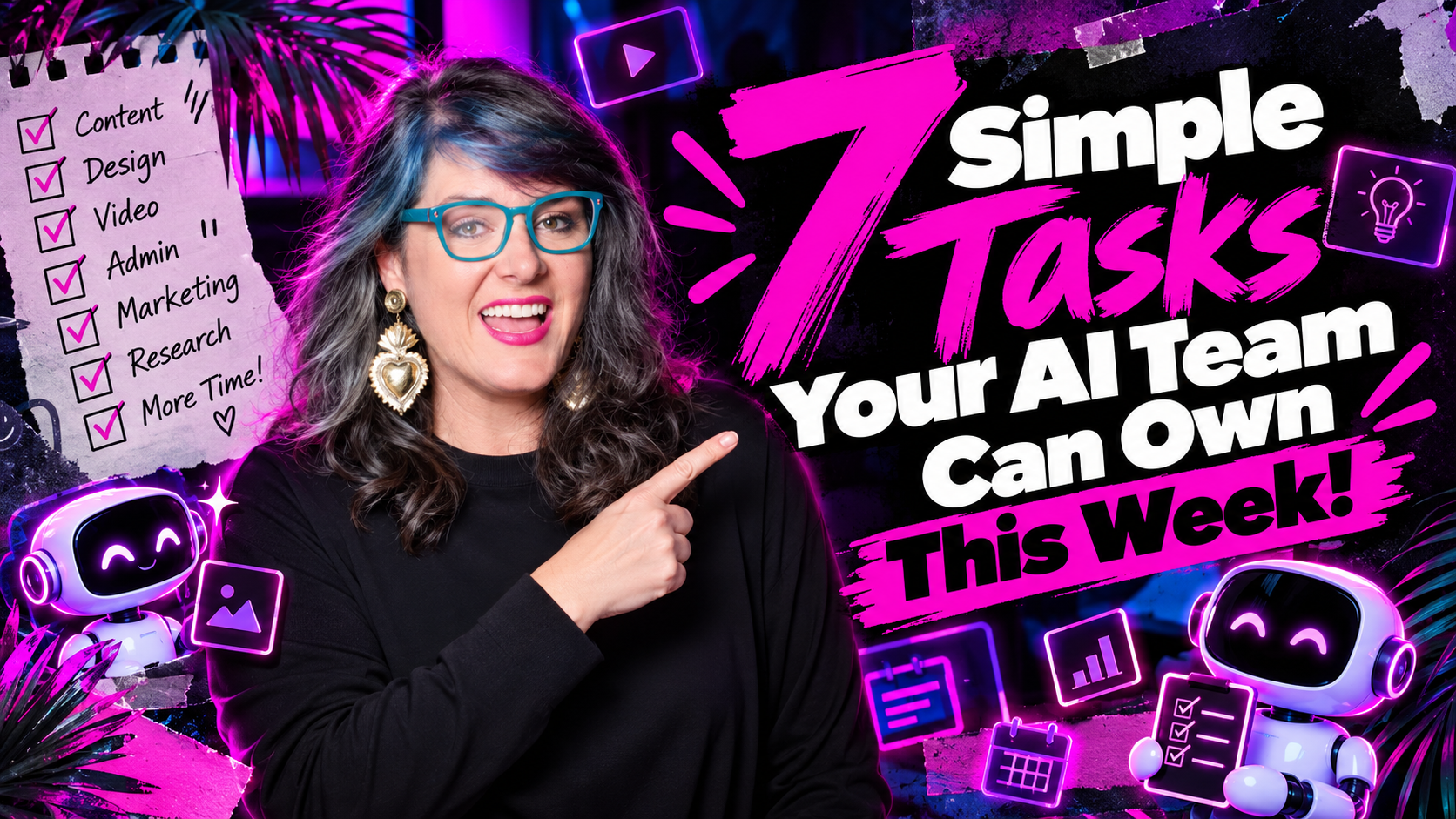
The rest? That’s work an AI team can start carrying this week. We’re talking about sorting your inbox, recapping your calls, drafting your content, prepping for events, writing your SOPs, and pulling your numbers into one report.
This approach works especially well for coaches, consultants, and creators who are currently the bottleneck in their own business. If that’s you, here are seven jobs to hand off first.
Who Is This For?
An AI team is a coordinated group of AI agents, each with its own role, instructions, and “reporting line,” working together like a tiny multi agent system inside your business.
This is not just “using ChatGPT sometimes.” It’s installing repeatable workflows that run daily with minimal prompting. Each agent handles one type of work – inbox, content, SOPs – and reports into a single place like Slack or a project tool. Agent responses flow to you or your human team so nothing slips through.
AI teams combine expertise from software engineering, data science, and business strategy. Cross-functional collaboration is critical for AI teams to achieve their objectives. But for solo operators and small teams, the idea is the same: specialized roles, clear instructions, one system. Today, 78% of organizations use AI in at least one function, and 84% of C-suite executives believe AI is critical for growth. You don’t need a Fortune 500 budget to act on that.
Who this is for: Online coaches, consultants, and creators with a small or no human team, juggling content, clients, and operations themselves. Humans stay the directors and decision makers. AI handles the routine tasks and prep work – not your final calls or sensitive conversations. If you want to go deeper on the concept, here’s a full walkthrough on how to build an AI team for your business.
Key Takeaways
- The best jobs for an AI team are the ones that repeat every day or every week.
- Inbox triage, call recaps, and content drafts are three of the fastest wins.
- Every AI team member should have one job, its own instructions, and a place to report back – like a Slack channel.
- Drafts, not finished work, should be the default. A human reviews before anything goes out.
- AI team members get better when you give them feedback, just like people do.
- AI agents can manage complex workflows with high autonomy – but start simple.
- Even one well-designed agent can save several hours per week. AI can save marketing teams 1,000 hours of work when properly deployed.
- Your first simple AI team member (like a daily inbox summary) can be running within 24 hours using mainstream tools available today.
Table of Contents
The 6 Jobs Your AI Team Can Take Off Your Plate
Think of these seven roles as the core “starter pack” for a modern AI team. Each job is handled by a different agent – one role per agent – even if all agents use the same underlying platform. AI systems can handle inquiries and close sales without human intervention in many cases, but the jobs below are where most coaches should begin.
Job #1: Sorting Your Inbox
Email is sneaky. Ten minutes here, twenty minutes there, and suddenly it’s 3pm.
One agent’s whole job is the inbox. It reads every incoming email, sorts it, handles the simple stuff, and routes the rest so the humans only see what actually needs them. Anything sensitive – like a complaint or a legal question – gets flagged fast and never gets an automatic reply. AI tools like SaneBox, Shortwave, and Fyxer can deliver this kind of triage today, and reviewers report morning admin time cut in half.
It runs at the start and end of each day and posts a summary in Slack. Even when a human also manages the inbox, this makes that job way lighter.
Try this: Start small. Have your AI check your inbox each morning and send you a short summary: what’s urgent, what can wait, and draft replies for the simple ones. You approve and send.
Your human line: Decide which emails are never answered by AI. Complaints, refunds, and anything personal are good places to start. Human intervention stays mandatory for messages that matter.
Job #2: Recapping Your Calls (and Finding the Gold in Them)
You say brilliant things on calls. Client wins. Frameworks you didn’t know you were teaching. Decisions your team made out loud. And then it all disappears into a recording you’ll never rewatch.
One agent reads each new recording from your note-taker and pulls out stories, quotes, wins, decisions, and frameworks. Then it files them in the right place and sends a recap to Slack. External tools like Fireflies and Otter.ai handle the transcription; your agent handles the evaluation and extraction.
Try this: After your next client call, paste the transcript into your AI and ask it to pull out three things: any client win, any quote worth sharing, and any framework you explained. Save them in one “story bank” document.
Why it matters: Your best content is already in your calls. This job makes sure you actually use it. A research agent combing through your conversation transcripts can surface the value you’d otherwise lose.
Job #3: Drafting a Week of Content
Content is the job most coaches want gone first. According to industry data, 82% of marketers say content creation is where they use AI most. And 78.4% report they’re now creating content they couldn’t previously afford or manage.
Here’s the simple process – four steps:
- Review your calendar and promotion schedule.
- List the beliefs someone would need in order to buy what you’re promoting.
- Write a week of content for each belief.
- Save everything as drafts in your scheduling tool.
Notice that last word. Drafts. Nothing posts until a human approves it. That’s the approval gate, and it’s what keeps everything sounding like you. If you want to build this out further, here’s a guide on creating a simple AI content workflow that saves hours every week.
Try this: Give your AI your offer and your audience, and ask: “What does someone need to believe before they’d buy this? List 5 beliefs, then write one post for each.” You just planned a week.
Job #4: Prepping for Events and Big Days
Speaking gigs, workshops, launches – the logistics pile up fast. About 10 days before each event, an AI agent pulls every detail from Slack threads and email. Talk time. Tech check. Drive time. Parking. Badge pick-up. It puts it all on the calendar and lists anything that’s missing.
Then your human team has a few days to chase down the gaps. The idea behind it: the team handles what you’d otherwise have to ask for. If you have to ask, you’re still carrying it.
Try this: Before your next event, paste in every email and message about it and ask: “Create a checklist of every detail, put the key times in order, and tell me what information is still missing.”
Job #5: Writing Your SOPs
You know how to do a hundred things in your business. The problem is they all live in your head. AI is fantastic at getting them out.
I once had Claude Code watch my screen while I set up the DNS on a new website – something I do so rarely I have to relearn it every single time. It did the task and wrote the step-by-step guide as it went. Tools like Routinly and Scribe can turn a screen recording into a structured SOP in minutes rather than the 60–90 minutes it takes to document manually.
Try this: Record yourself talking through a task you do often. Paste the transcript in and ask: “Turn this into a clear SOP with steps, a checklist, and anything I seem to have skipped.”
Bonus: Your SOPs become instructions your AI team can follow too. One document, two teams. That’s a good point to remember – even a coding assistant needs clear documentation to act reliably.
Job #6: Pulling Your Numbers Into One Report
Numbers are one of those jobs that never feel urgent until they really are.
You can connect your AI to your payment platform and ask it to track churn across every recurring subscription. Give it one rule: if someone upgrades to a higher program, that’s an upgrade, not a cancellation. Let it run. By morning you could have a full dashboard – a weekly report that would have taken hours by hand. Marketers using AI save around four hours per week on content and reporting tasks.
Try this: Export a simple report – last month’s sales or your email stats – and ask your AI: “What are the three most important things this data tells me, and what should I look at next?”
How to Hand Off a Job to Your AI Team
Most AI failures happen because people skip structure. They throw everything at one agent and wonder why nothing sticks. In fact, 95% of generative AI pilots fail to yield meaningful business impact – usually because of poor setup, not poor technology. AI teams typically follow a development lifecycle including planning, data collection, model development, and deployment. Yours should too, just scaled down.
Here’s the order that works:
Step 1 – Give Your AI Team a Brain. Before any job, your AI needs to know your business. Your voice, your offers, your clients, your rules. Start with a one-page summary if that’s all you have. AI projects need reliable, high-quality data to achieve effective outcomes – and that starts with your own knowledge base. Successful AI teams require technical skills and soft skills such as communication and adaptability, and the same applies when writing instructions for your agents.
Step 2 – Pick ONE Job. Choose the one that drains you most. Not the one that looks coolest. That focus matters. Three-quarters of executives fear failing to scale AI will harm their business, but scaling starts with one job done well.
Step 3 – Write Job-Specific Instructions. One role. One set of rules. You wouldn’t ask the person who runs your calendar to also run your email campaigns. Same scope here. Think of yourself as an agent builder writing a role description: goal, inputs, outputs, tone, and escalation rules.
Step 4 – Choose Where the Agent Reports. Every agent should have its own Slack channel, email thread, or project board. You can see what they did without digging. This is where you track follow ups and close loops.
Step 5 – Decide on Triggers. Some jobs work best when you trigger them manually. Others, like a morning inbox check, run as a scheduled task on automation. Event-based triggers (e.g., a new transcript file appears) are useful once you’re comfortable. If you want a walkthrough of how to stack these triggers, check out GPT stacking for smarter content creation.
Step 6 – Review and Feedback Loop. Review outputs daily at first. Give explicit feedback: “shorter,” “more conversational,” “always ask this question first.” Treat it like onboarding a new agent or a new hire. AI teams should focus on industrialization and system architecture as they mature – but early on, the production quality comes from your corrections.
As complexity grows, you might evolve from one agent to a more advanced multi agent setup – chaining inbox triage into content drafts into publishing. But keep it simple until the first job works well. AI teams must prioritize reliability over novelty in 2026.
Mistakes to Avoid When Building Your AI Team
Many 2024–2026 AI experiments stalled because of avoidable design mistakes, not “bad AI.” AI systems are probabilistic, requiring teams to manage uncertainty and risk in outputs. Here’s what to watch for:
- Handing off everything at once. One job working well beats seven jobs half-built. Build your plan around one role, then add the next. 61% of firms report their data is not ready for GenAI – and your process might not be either if you rush.
- Skipping the knowledge base. Without it, your AI team sounds generic. Your brand context is everything.
- Letting AI publish without a human check. Drafts first. Always. Autonomous agents are powerful, but the evaluation step belongs to a person.
- Giving one agent five jobs. Switching between tasks confuses AI the same way it confuses people. Each agent needs clear scope.
- Forgetting to close the loop. If your AI flags something and you handle it, tell it. Otherwise it keeps flagging the same thing. Messages need to flow both ways.
- Not deciding your human line. Know what AI never touches, and say it clearly in its instructions. Decision making on sensitive matters stays human.
- Ignoring security and data privacy. 97% of AI-related breaches lack proper access controls. Don’t give AI unrestricted access to personal inboxes or payment systems. Set clear safeguards, limited scope, and audit logs. Use building tools and existing tools that offer proper security controls.
- Shadow AI risk. Team members using random tools without approval creates chaos. Create one sanctioned system with clear guardrails instead. Even cheaper models can be fine – the control matters more than the cost.
Frequently Asked Questions
These are the most common questions coaches, consultants, and creators ask before installing AI agents in their business.
Q: What tasks can an AI team handle for a small business? Repeatable tasks are the best fit: sorting email, recapping calls, drafting content, summarizing your calendar, prepping for events, writing SOPs, and pulling reports. Anything you do the same way every week is a good candidate. Team sizes for AI projects can range from a few specialists for prototypes to many for enterprise platforms – but for your business, even a handful of agents can serve your biggest needs.
Q: What’s the first job I should give my AI team? Pick the task that drains you most each week. For a lot of coaches that’s the inbox or content. Start there, get it working, then add the next job. At large organizations, AI Product Managers define product vision and ensure alignment between business and technical teams – you’re doing the same thing at a smaller scale.
Q: Will an AI team replace my human team? It shouldn’t. An AI team takes repeatable work off everyone’s plate so your humans can focus on relationships, decisions, and the work only people can do. AI and humans work side by side. In enterprise settings, AI teams must include AI Product Managers and Engineers alongside people doing strategy. For you, the principle is the same: people for judgment, AI for process.
Q: How do I keep my AI team from sounding like a robot? Give it a knowledge base with your real voice, stories, and phrases. Then review its drafts before anything goes out, and give feedback when something doesn’t sound like you. Think of it as coaching the best models to match your expertise and tone. Learn more about humanizing your brand even as you adopt automation.
Q: Do AI team members need to talk to each other? Not at first. Most handoffs can happen inside one scheduled task that uses a few capabilities in order. Multi agent systems become useful once you chain together complex workflows – for example, inbox triage feeding directly into content production. But keep it simple until one job works really well. AI teams must include roles for orchestration and state management once you reach that complexity. The Center of Excellence model centralizes high-cost AI talent in larger organizations, but a solo operator can act as their own center of excellence.
Q: What is a scheduled task? A scheduled task is a job your AI runs on its own at a set time – like checking your inbox every morning or recapping new calls every hour. You set it once, and it keeps running. It’s basic automation, and most platforms support it natively.
Q: Where should my AI team report its work? Somewhere you already check. A separate Slack channel for each AI team member works well. Email or a chat app can work too. The answer is: pick what you’ll actually look at.
Q: Is it safe to let AI read my email and calendar? Be thoughtful about it. Many people use a dedicated account or a dedicated computer for their AI team, set clear rules about what AI can and can’t reply to, and keep a human review step on anything that goes to clients. AI Ethics Specialists audit AI systems for fairness, transparency, and compliance with regulations at the enterprise level – you can apply the same practice by writing clear access rules and reviewing what your agents do.
Q: Do I need to be techy to build an AI team? No. You need to know how your business runs, and you already do. The setup is mostly writing clear instructions in plain language. In enterprise teams, Data Engineers build and maintain data pipelines for AI model training, Data Scientists analyze complex datasets to extract insights and build models, AI/Machine Learning Engineers develop and deploy production-ready models, and MLOps Engineers ensure reliable deployment and scalability of AI models. AI teams should include Value Architects to redesign processes. You don’t need all of that. You just need to write clearly and act on feedback. The success of your AI team relies on your expertise about your own business, not coding ability.
Q: How long does it take to set up my first AI team member? Your first simple job – like a daily inbox summary – can be running within a day once your AI knows your business. Bigger workflows take longer, so build them one step at a time. Even a new ChatGPT agent can handle basic triage with minimal effort to set up.
Final Summary
An AI team takes repeatable work off your plate so you can focus on the work that actually needs you. Seven great jobs to start with: sorting your inbox, recapping your calls, drafting content, summarizing tomorrow, prepping for events, writing SOPs, and pulling your numbers into one weekly report.
The implementation pattern is straightforward: build a simple knowledge base, start with one job, create clear instructions, set up a reporting channel, and iterate with feedback. AI teams should focus on reliability and clear system architecture – not novelty for its own sake.
Even one well-designed AI agent can save several hours per week. Three or four agents working together can reclaim entire days. You don’t have to do it all yourself anymore.
Ready to Build Your AI Team?
Look at your week and circle the one job you dread most. That’s your first hire.
Here’s your three-step plan for the next seven days:
- Choose the job from the seven listed above.
- Draft a one-page role description covering goal, inputs, outputs, tone, and human escalation rules.
- Set up a basic AI workflow and let it run for a week as a test.
If you want to build your AI Soul System and install your own AI team step by step – with guidance – join the next AI Pro cohort. You’ll walk away with documented AI team roles, installed workflows for at least two or three of these seven jobs, and a repeatable system for adding more autonomous agents over time.
Let’s get you some time back. Your calendar – and your future self – will thank you.


Leave a Reply